> ## Documentation Index
> Fetch the complete documentation index at: https://docs.getpalm.com/llms.txt
> Use this file to discover all available pages before exploring further.
# Comply overview
> Act on behalf of businesses — formation, filings, registered agent services, and reinstatement through the same API you use to verify and monitor.
export const iconProps = (variant = "default") => {
const iconVariants = {
default: "palm-icon-default",
horizontal: "palm-icon-horizontal",
stack: "palm-icon-stack",
navigation: "palm-icon-navigation",
darkHorizontal: "palm-icon-dark-horizontal",
dark_stack: "palm-icon-dark-stack",
getStarted: "palm-icon-get-started"
};
return iconVariants[variant] ?? iconVariants.default;
};
export const PalmCard = ({title, description, icon, variant = "default", href, items}) => {
if (variant === "getStarted") {
return
}
;
return inner;
};
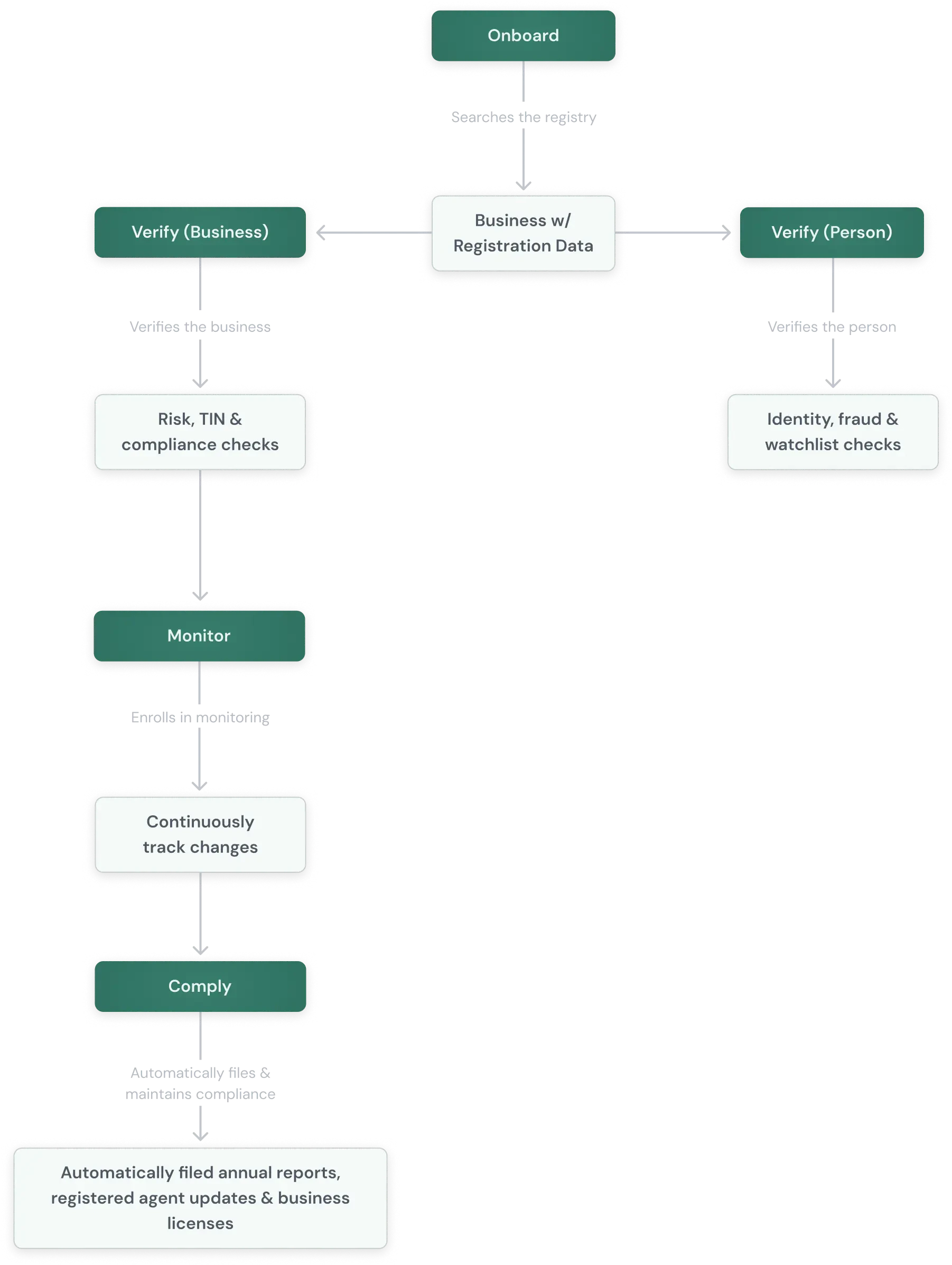
Comply is Palm's action layer. Where [Verify](/verify/overview) confirms a business's identity and [Monitor](/monitor/overview) watches for changes, Palm resolves compliance gaps through Comply and keeps businesses in good standing. When Palm submits a filing and the authority accepts it, the response updates the business's record in Palm with state-confirmed data.
***
## How Comply works
Palm uses the data already in the vault to pre-fill state-specific forms and submit them. When the authority accepts the filing, Palm updates the business's record with the confirmed data.
This means you do not need a separate compliance vendor or a manual data collection step. The same business record you verified through [Verify](/verify/overview) and track through [Monitor](/monitor/overview) is the one Comply files against.
## What Comply covers
Comply spans the full business lifecycle in three stages:
| Stage | What it does | Actions |
| -------------------------------------------------------- | ---------------------------- | ---------------------------------------------------------------------------- |
| Formation | Create the business entity | State filing, name availability, EIN application. |
| Ongoing Compliance | Keep it in good standing | Annual reports, registered agent services, foreign registration, amendments. |
| Remediation | Fix problems when they arise | Reinstatement, filing corrections. |
### Formation
Palm handles the full formation workflow — from validating the business name, to filing formation documents with the state, to applying for an EIN with the IRS. See [Form a business](/comply/form-a-business) and [Apply for an EIN](/comply/apply-for-an-ein) for the full integration guides.
* **Name availability:** Palm checks whether a business name is available in the target state as part of submission validation. Prevents failed submissions and wasted filing fees.
* **State filing:** Palm prepares and submits formation documents (Articles of Organization, Articles of Incorporation, etc.) to the state. Includes entity type selection, jurisdiction, and registered agent designation.
* **EIN application:** Palm collects the required information and submits the application to the IRS. EIN applications work standalone or [bundled with a formation](/comply/apply-for-an-ein#standalone-vs-bundled).
Formation integrates with Onboard — a business formed through Palm is immediately available for verification and monitoring without re-entering data.
### Ongoing Compliance
Palm keeps a business in good standing through its required filings and services.
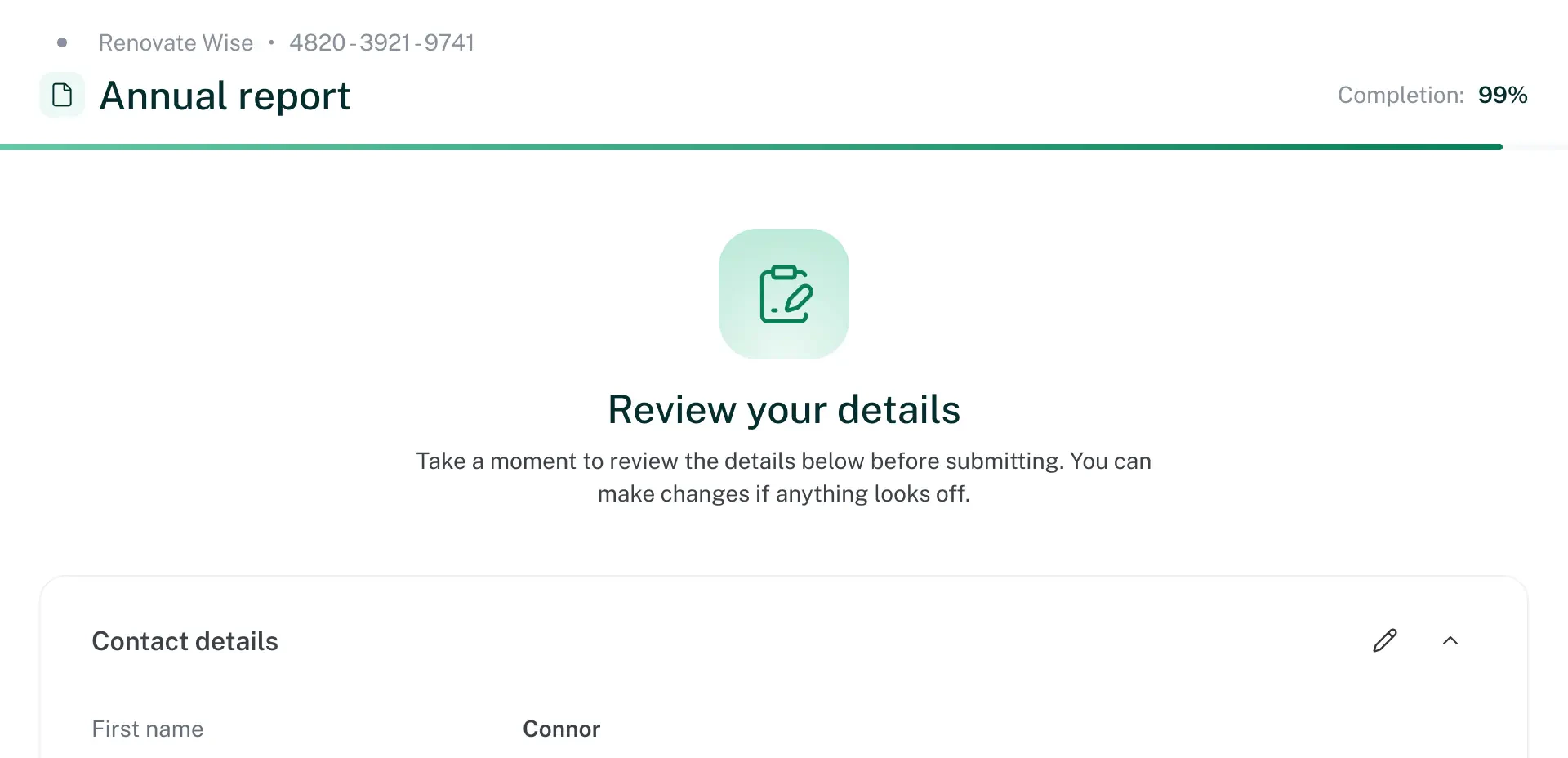
* **Annual reports:** Every state requires periodic filings to maintain good standing. Miss a deadline and the state can suspend or dissolve the registration. Palm handles the full lifecycle: determining required filings, deadlines, and fees for a jurisdiction and entity type; calculating due dates and fees (which vary by state, entity type, and factors like authorized shares or gross assets); pre-filling and submitting the state-specific form using data from the vault; and updating the business record when the filing is accepted.
* **Registered agent services:** Every state-registered business must designate a registered agent to receive legal and government documents. Palm provides registered agent services managed entirely through the API:
| Action | Description |
| ------------------- | ------------------------------------------------------------------------------------------------------ |
| Provision | Assign Palm as the registered agent, during formation or for existing businesses. |
| Status check | Query the current registered agent status for a business. |
| Document forwarding | Palm forwards legal and government documents received by the registered agent through the API. |
| Change | Switch to Palm, or from Palm to another provider. Palm handles the state-specific filing. |
| Termination | Discontinue registered agent services when a business dissolves, switches providers, or is offboarded. |
### Remediation
Palm resolves compliance problems that put a business at risk.
* **Reinstatement:** When a business loses good standing through missed filings, unpaid fees, or administrative action, it may need to be reinstated before it can transact, open accounts, or meet regulatory requirements. Palm determines what is needed (back filings, penalties, forms), pre-fills from the existing record, and submits the full reinstatement package to the state.
Reinstatement is typically triggered by a [Monitor](/monitor/overview) event — the business's status changes to suspended, revoked, or dissolved, and Comply provides the path back to good standing.
* **Filing corrections:** When data on file with the state is wrong (name, address, officer information), Palm prepares and submits the appropriate amendment or correction filing.
## The filing object
Every action in Comply creates a **filing** — a tracked record that moves through a status lifecycle. Whether you submit it via the API or Palm initiates it on your behalf, the mechanics are the same: track its status, handle any information requests, and retrieve the result when it completes.
### Status lifecycle
```
queued → ready_to_file → processing → filed → completed
```
| Status | Meaning |
| -------------------------------------------------------------- | --------------------------------------------------------------------- |
| `queued` | Filing received and validated. Preparing for submission. |
| `ready_to_file` | Palm is ready to submit the filing to the authority. |
| `processing` | Palm submitted the filing. The authority is processing it. |
| `filed` | Authority has accepted the filing. Awaiting final confirmation. |
| `completed` | Filing is done. Result is available (registration number, EIN, etc.). |
| `canceled` | Filing was canceled. See `status_reason` for details. |
### Information requests (cases)
Any time before a filing completes, Palm may need additional information from you — a value to correct, or a detail not collected at submission. When that happens, Palm opens a **case** on the filing and notifies you with a `case.opened` webhook.
Each case includes a structured `request` with typed fields you respond to programmatically, so a single generic handler covers every case:
```json wrap JSON theme={null}
{
"kind": "missing_information",
"status": "needs_response",
"summary": "Additional information needed to complete your filing.",
"request": {
"fields": [
{
"name": "corrected_principal_address",
"type": "string",
"description": "The principal office address on the filing was incomplete. Provide the full street address.",
"required": true
}
]
}
}
```
Respond via `POST /v1/case/{case_id}/response`. See [Cases](/comply/cases) for the full object, lifecycle, and how to respond.
### Documents
Completed filings include documents — articles of organization, IRS confirmation letters, state certificates, and receipts. Each document has a type, a time-limited download URL, and an upload timestamp.
### Fees
Filing fees vary by state, entity type, and filing method. Use the [formation requirements endpoint](/comply/form-a-business#discover-requirements) to get fee estimates before submitting. The final amount paid is available on the filing record once it reaches `completed`, broken down by component (base, expedite, etc.).
## How Comply connects to Onboard, Verify, and Monitor
Palm closes the loop through Comply.
| Product | Role |
| --------------------------------------------- | --------------------------------------------------------------------------- |
| Onboard | Find the business — pull registration data. |
| Verify | Verify the business — confirm identity and compliance state. |
| Monitor | Subscribe to monitoring — watch for changes. |
| Comply | File on behalf of business — formation, EIN, annual reports, reinstatement. |
Each product feeds the next. Verify creates the identity record. Monitor watches it. Comply acts on what Monitor finds. And every Comply filing updates the business record with state-confirmed data — every filing keeps the record accurate over time, not just checked once at onboarding.
## When to use Comply
* **Embedded compliance for platforms:** If your platform serves businesses, offering compliance as an embedded feature reduces churn and creates a recurring touchpoint. A business that files its annual report through your platform is less likely to leave it.
* **Lending and underwriting:** A borrower that falls out of good standing is a covenant violation. Palm lets you cure compliance gaps programmatically through Comply rather than flagging them for manual follow-up.
* **Post-verification maintenance:** Verification is a point-in-time check. Palm keeps the underlying record current through the compliance activity that is already required — each filing updates the record with state-confirmed data.
* **Formation follow-through:** Businesses formed through Palm immediately need a registered agent and will need annual reports going forward. Ongoing compliance picks up where formation ends.
## State coverage
Palm's compliance infrastructure maps the filing requirements, deadlines, fee structures, and submission processes for all 50 US states and DC. Each state has different forms, different rules, and different submission methods — Palm normalizes this into a single interface.
Coverage includes domestic and foreign entity filings. Filing frequencies vary by state (annual, biennial, or one-time), and fee calculations account for state-specific inputs like authorized shares, gross assets, or par value.
For the current list of supported filing and entity types, [contact us](mailto:support@getpalm.com).
## Before you begin
* A Palm API key — [Get access](/get-started/get-access)
* For formation: business data can be collected fresh or pulled from an existing vault record.
* For EIN: an existing business record with required vault fields populated.
* For monitoring-triggered actions: a monitoring subscription — [Monitor](/monitor/overview).
## Next steps