> ## Documentation Index
> Fetch the complete documentation index at: https://docs.getpalm.com/llms.txt
> Use this file to discover all available pages before exploring further.
# Verify a business
> Confirm that a business entity is real, registered, and in good standing.
export const iconProps = (variant = "default") => {
const iconVariants = {
default: "palm-icon-default",
horizontal: "palm-icon-horizontal",
stack: "palm-icon-stack",
navigation: "palm-icon-navigation",
darkHorizontal: "palm-icon-dark-horizontal",
dark_stack: "palm-icon-dark-stack",
getStarted: "palm-icon-get-started"
};
return iconVariants[variant] ?? iconVariants.default;
};
export const PalmCard = ({title, description, icon, variant = "default", href, items}) => {
if (variant === "getStarted") {
return
}
;
return inner;
};
Business verification (KYB — Know Your Business) confirms that an entity exists, is registered with the appropriate government authorities, and is currently in good standing. Palm verifies against authoritative sources — state registries, the IRS, and licensing agencies — and returns structured results you can act on.
***
## What business verification checks
When you verify a business, Palm runs several checks against authoritative sources:
* **State Registry verification:** Palm queries the Secretary of State (SOS) office where the business is registered. This confirms the business exists, checks that its registration is active (not dissolved, suspended, or revoked), and validates details like the legal name, entity type, and formation date. A business that hasn't filed its annual report or paid its state fees will show as out of compliance.
* **EIN verification:** The Employer Identification Number is assigned by the IRS and serves as the business's tax ID. Palm verifies the EIN against IRS records to confirm the number matches the business name. This catches cases where a business submits someone else's EIN, uses a recently issued number that hasn't propagated yet, or provides an EIN that doesn't correspond to any business on file.
* **Associate verification:** If you include associates in the request, each one undergoes individual person verification — identity checks, synthetic identity detection, and watchlist screening for every person with significant ownership or control. See [Verify a Person](/verify/verify-a-person) for what it covers.
## What you get back
When you verify a business, Palm returns:
* **Match results:** How each submitted field compares against authoritative records (`match`, `no_match`, `partial_match`, or `not_checked`).
* **Risk assessment:** A risk level (`low`, `medium`, `high`, or `critical`) with specific risk signals that explain the assessment.
* **Associates:** If beneficial owners are included, each undergoes individual KYC verification.
* **Verification status:** `pending`, `in_progress`, `completed`, or `failed`.
For the full breakdown of risk levels, risk signals, and match result types, see [Verification Reference](/verify/verification-reference).
## Understanding the detail response
| Field | Description |
| ---------------------------------------------------------------- | ----------------------------------------------------------------------------------------------------------------------------------------------------------------------------------------------------------------------------------------------------------------------------------------------------------------------------------------------------- |
| `business_id` | Palm's identifier for the verified business. Use this for subsequent API calls — re-verification, monitoring enrollment, and Registry lookups. |
| `verification_id` | Unique identifier for this specific verification run. A single business can have multiple verifications over time (initial verification, annual re-verification, triggered re-verification). Each gets its own ID. |
| `status` | Where the verification is in its lifecycle. `completed` means results are ready. `failed` means a system error occurred (not a verification failure) — retry the request. See [Verification Reference](/verify/verification-reference) for all statuses. |
| `risk.level` | Overall risk assessment: `low`, `medium`, `high`, or `critical`. See [Verification Reference](/verify/verification-reference) for what each level means and how to handle it. |
| `risk.reasons` | Array of specific risk signals that explain the assessment. An empty array with `low` risk means nothing concerning was detected. A high risk with `["shell_company_indicators", "newly_registered"]` tells you exactly why. See [Verification Reference](/verify/verification-reference) for all signal types. |
| `match` | Field-level match results. Only fields you included in the request appear here. `match` means the value you submitted matches authoritative records exactly. `no_match` means it doesn't. `partial_match` means it's close but not exact — common with address formatting differences or minor name variations. |
| `associates` | Array of individual KYC verification results for each beneficial owner. Each associate gets the full KYC treatment: identity matching, synthetic identity detection, and watchlist screening. |
## Match fields
KYB verification can return match results for these fields:
| Field | Description |
| -------------------------------------------------------------------------- | ----------------------------------------------------------------------------------------------------------------------------------------------------------------------------------------------------- |
| `legal_name` | Whether the submitted name matches the name on file with the state. Minor variations (e.g., "Inc." vs "Incorporated") may return `partial_match`. |
| `ein` | Whether the EIN matches IRS records for this business. A `no_match` here is a strong negative signal — it means the business either submitted the wrong EIN or the EIN belongs to a different entity. |
| `entity_type` | Whether the legal structure matches state records. Catching a mismatch here matters — if someone claims to be a Corporation but the state has them as an LLC, that's either an error or a red flag. |
| `registration_jurisdiction` | Whether the business is registered in the state it claims. |
| `formation_jurisdiction` | Whether the business was formed in the jurisdiction it claims. |
| `formation_date` | Whether the incorporation date matches. Newly formed businesses (within the last few months) may not yet appear in all state databases. |
| `address_line_1` | Whether the street address matches state records. Businesses frequently move without updating their state filing, so an address mismatch is relatively common and not always a concern. |
| `city` | City match. |
| `region` | State match. |
| `postal_code` | ZIP code match. |
Only fields included in the verification request appear in match results. For match result types and risk level details, see [Verification Reference](/verify/verification-reference).
## When to use
Use business verification when a business entity first interacts with your platform — during onboarding, before extending credit, or before binding a policy. Use it again when compliance state changes or on a recurring schedule.
If you also need to verify the person behind the business, follow this call with person verification. Or include associates in the request to verify beneficial owners in the same call.
## Quickstart
**Prerequisites**
* A Palm API key — [Get access](/get-started/get-access)
* The business's legal name and state/region
### Verify a business
Send a `POST` request to `/v1/business/verification`:
```bash wrap Bash theme={null}
curl -X POST https://api.getpalm.com/v1/business/verification \
-H 'Content-Type: application/json' \
-H 'Authorization: Bearer sk_test_...' \
-d '{
"workflow_key": "business_verification_default",
"legal_name": "Acme Corporation",
"region": "US-CA"
}'
```
The minimum request requires a `workflow_key`, `legal_name`, and `region`. You can improve match accuracy by including additional fields like `ein`, `entity_type`, `formation_jurisdiction`, `address`, and `associates` (beneficial owners to verify inline).
For the full parameter reference, see the [API Reference](/api-reference/introduction).
You can also verify people as part of a business verification by including them as associates. See [Verify a Person](/verify/verify-a-person).
### Response
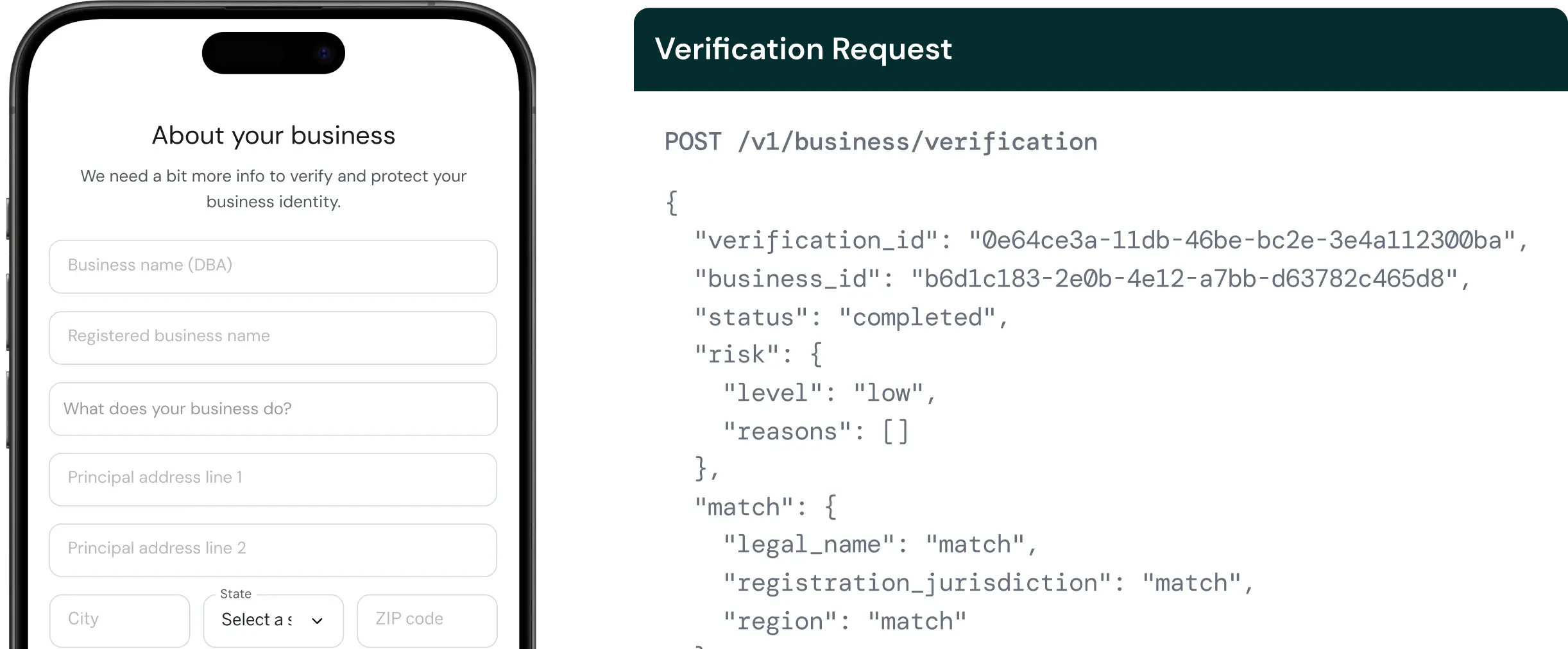
A successful verification returns match results, risk assessment, and — if associates were included — individual KYC results for each owner:
```json wrap JSON theme={null}
{
"business_id": "biz_4c7e1a...",
"verification_id": "ver_8a3f2b...",
"status": "completed",
"risk": { "level": "low", "reasons": [] },
"match": {
"legal_name": "match",
"region": "match",
"ein": "match"
},
"associates": [
{
"user_id": "usr_9b2c4d...",
"verification_id": "ver_660e84...",
"status": "completed",
"risk": { "level": "low", "reasons": [] },
"match": {
"first_name": "match",
"last_name": "match",
"date_of_birth": "match",
"ssn": "match"
},
"watchlist": { "status": "clear" }
}
],
"created_at": "2026-01-15T10:30:00Z"
}
```
## Re-verification
Existing businesses can be re-verified without resubmitting data. Palm retrieves the current data from the vault and runs verification against stored values:
```bash wrap Bash theme={null}
curl -X POST https://api.getpalm.com/v1/business/biz_4c7e1a.../verification \
-H 'Content-Type: application/json' \
-H 'Authorization: Bearer sk_test_...' \
-d '{
"workflow_key": "business_verification_default",
"reference_id": "reverify_12345"
}'
```
Re-verification is useful on a recurring schedule (annual compliance reviews) or when triggered by a monitoring event (a state registration lapsing, an adverse media hit).
## Webhooks
Subscribe to `business.verification.completed` to receive async notification when a verification finishes. Webhook payloads include the verification ID, risk level, and summary match results.
## Next steps