
How business records work
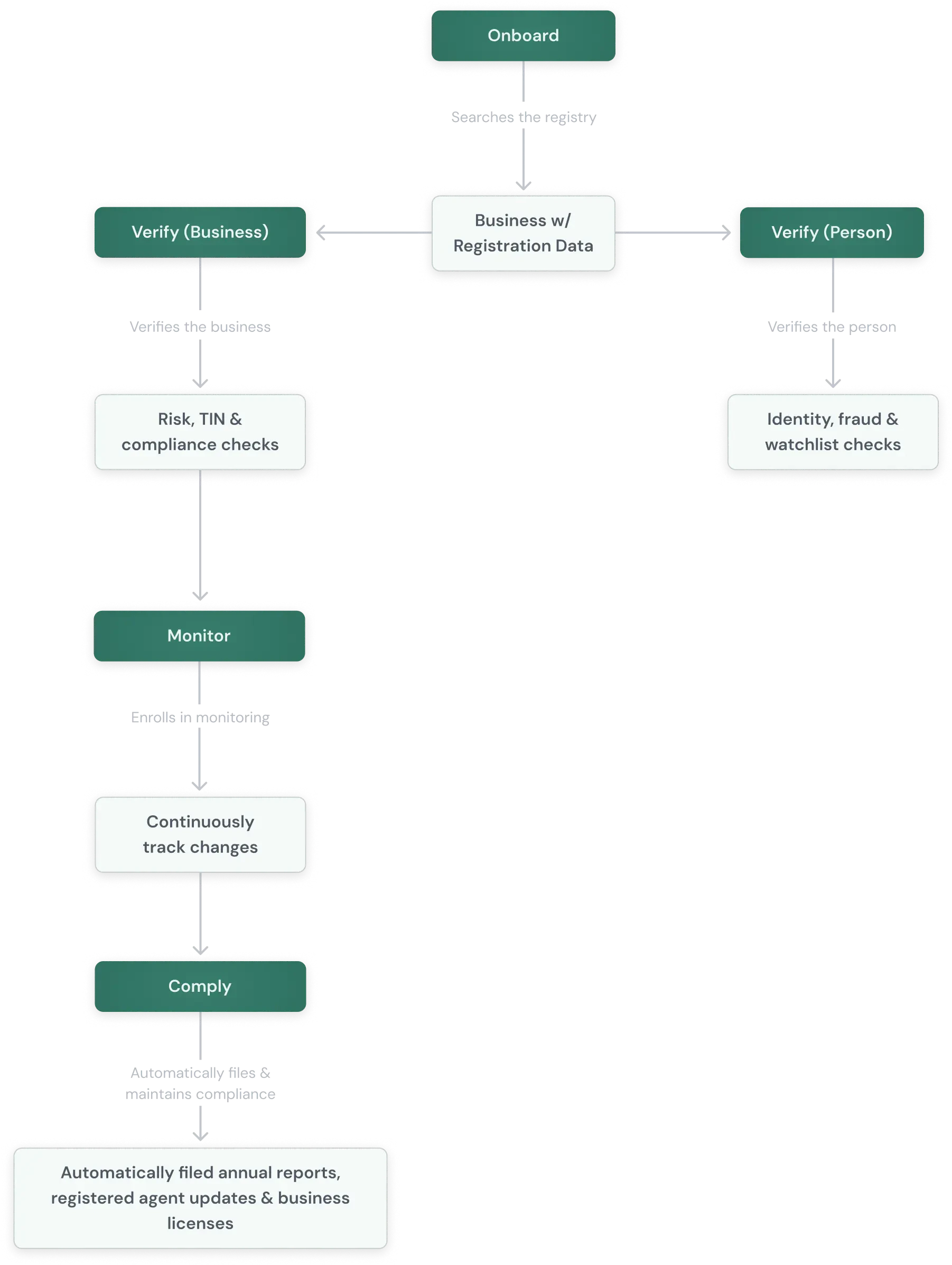
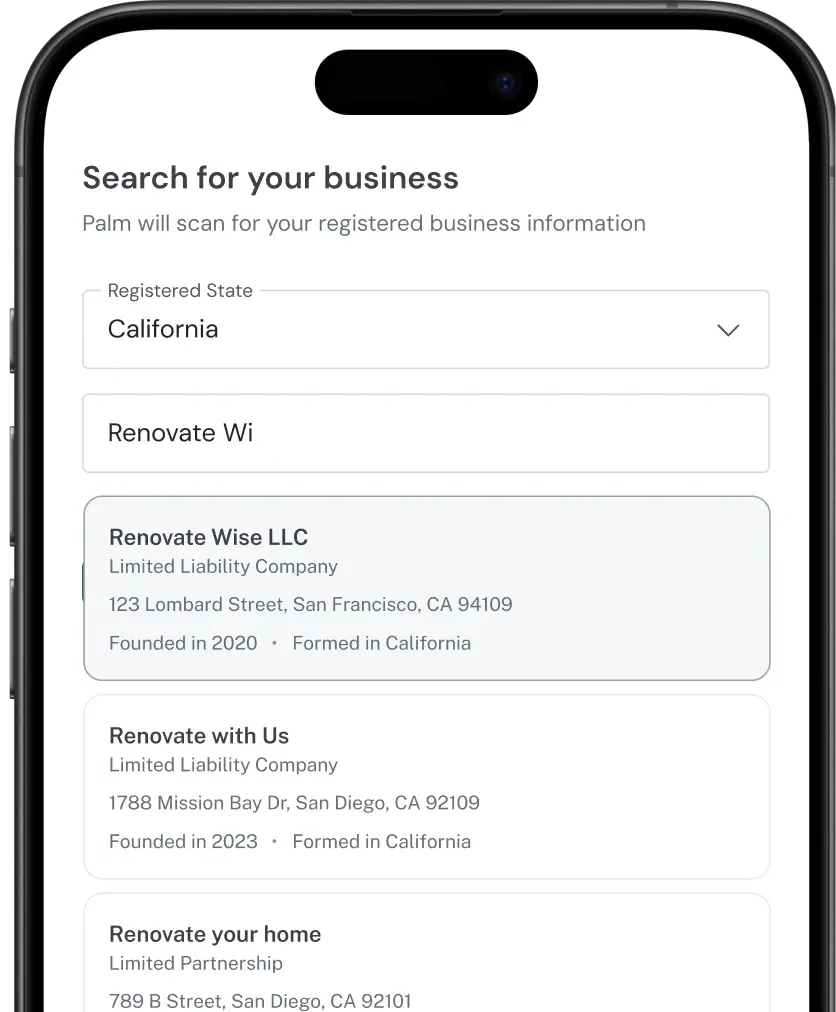
Every business registered in the US files with an authority that publishes a record of it: legal name, entity type, formation date, jurisdiction, current status, registered agent, and in many places the officers and members. That record is public, and it is the one regulators and lenders rely on. What makes it hard to use is that there is no single place to read it. Each jurisdiction keeps its own system, with its own search, its own field names, and its own idea of what a business record contains. Palm reads those sources directly and normalizes what comes back: 125M US businesses, read in real time from the source rather than from a periodically refreshed copy, in one shape regardless of where the business is registered. Which means the record your customer is about to type into your application already exists, and Palm can hand it to you instead. They give you a name, pick their business out of the results, and the rest of your form fills from the record. Every field they do not have to type is a field they cannot get wrong.What Onboard does
When to use it
- At the start of a relationship. Embed search in your application flow so a business is identified before it is underwritten, approved, or verified.
- To enrich what you already hold. You have a name and need the registration number, address, or officers.
- Before a formation. Check that a proposed name is available and compliant in the target jurisdiction.
What comes next
Onboard finds the business and returns its public record. It does not test what your customer told you, validate a tax ID against the IRS, or screen the people behind the business. Those are questions the public record cannot answer.