

What KYC verification checks
- Identity matching: Palm compares the submitted name, date of birth, SSN, and address against authoritative sources. Each field is checked independently, so you get granular results: you’ll know if the name matched but the address didn’t.
- Synthetic identity detection: A synthetic identity is a fabricated identity built by combining real and fake data. A fraudster might pair a real SSN (often belonging to a child, elderly person, or recent immigrant) with a fake name and address. These identities can pass basic checks because some of the data is real. Palm detects synthetic identities by analyzing patterns across identity attributes that indicate fabrication.
- Velocity checks: Palm tracks how frequently identity attributes appear across recent verifications. If the same SSN shows up in different verification requests in a week, that could be a strong fraud signal, even if each individual verification looks clean. Velocity checks catch patterns that point-in-time checks miss, including application fraud rings and credit stacking (rapidly applying for credit across multiple lenders).
- Watchlist screening: Palm screens against sanctions lists (OFAC SDN list and international equivalents), Politically Exposed Person (PEP) databases, and adverse media sources. A sanctions match means the person appears on a government list of individuals with whom financial transactions are restricted or prohibited. A PEP match means the person holds (or recently held) a prominent public function. PEPs aren’t necessarily risky, but they require enhanced due diligence under most compliance frameworks.
What you get back
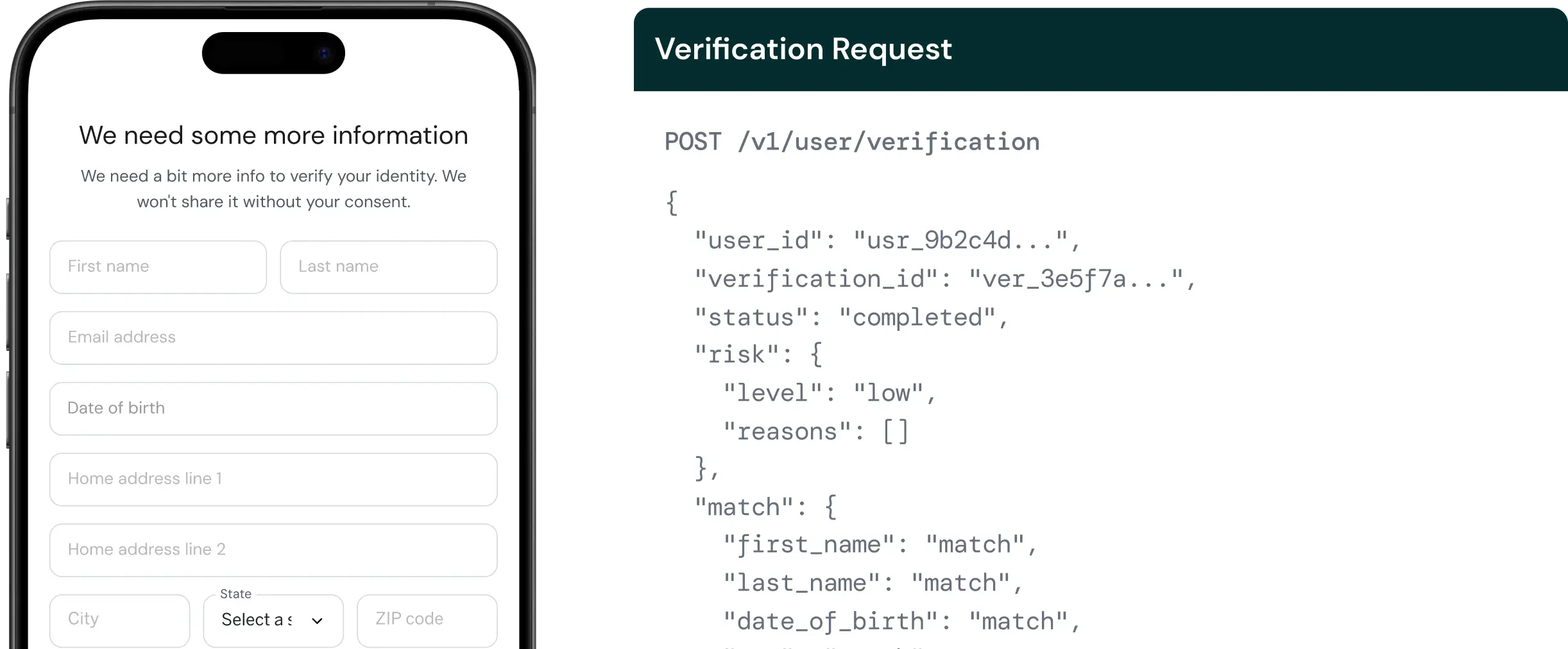
- Match results: How each submitted field compares against authoritative identity records (
match,no_match,partial_match, ornot_checked). - Risk assessment: A risk level (
low,medium,high, orcritical) with specific risk signals that explain the assessment. - Synthetic identity detection: Whether Palm detects indicators of a fabricated identity.
- Velocity checks: How frequently identity attributes appear across recent verifications, surfaced as risk signals in
risk.reasonsrather than a separate field. - Watchlist screening: Sanctions, PEP, and adverse media results.
- Verification status:
pending,in_progress,completed, orfailed.
When to use this
Use person verification during onboarding, before extending credit, or when confirming authorized signers. Common scenarios: verifying beneficial owners, confirming officers during underwriting, or validating authorized representatives. You can also verify people as part of a business verification by including them as associates. See Verify a business.Quickstart
Prerequisites- A Palm API key: Get access
- The person’s name, date of birth, SSN, and address
Verify a person
Send aPOST request to /v1/user/verification:
Bash
Request fields
The minimum request requires aworkflow_key, the person’s name, date of birth, SSN, and address. This runs core identity matching. Beyond that, send every identity field you collect: optional fields each unlock additional fraud checks, so the more you send, the more complete the assessment.
If a check’s input isn’t provided, that check simply doesn’t run: a missing input is not treated as a risk factor and won’t appear in risk.reasons.
Optional fields and what they unlock
If your workflow is tuned for a specific field set and you’re unsure what to send, contact us. We’ll align your workflow with the data you collect.
For the full field reference, types, and validation rules, see the API Reference.
Response
A successful verification returns match results, risk assessment, and - if associates were included - individual KYC results for each owner:JSON
Understanding the response
Watchlist matches
Whenwatchlist.status is potential_match or confirmed_match, the response includes match details:
JSON
type:
sanctions: OFAC SDN list and international sanctions lists. A confirmed sanctions match means you likely cannot do business with this person under US law. This is the most serious watchlist result.pep: Politically Exposed Person. The person holds or recently held a prominent public function. A PEP designation doesn’t mean the person is risky. It means enhanced due diligence is required under most regulatory frameworks.adverse_media: Negative news coverage related to financial crime, fraud, or regulatory action. Adverse media hits provide context for risk decisions but aren’t definitive on their own. They require human review.
confidence_score (0–100) indicates how closely the watchlist record matches the submitted identity. Scores above 90 are high-confidence matches.
Name-only matches. PEP and adverse-media hits matched on name alone, without date-of-birth corroboration, are reported as potential_match with a confidence score rather than as confirmed matches, and don’t inflate the risk level. This keeps common names from triggering false positives. Sanctions matches are treated as high priority.
Match fields
KYC verification can return match results for these fields:
Only fields included in the verification request appear in match results. For match result types and risk level details, see Verification Reference.
Re-verification
Existing users can be re-verified by passing theuser_id. Palm retrieves the current data from the vault and runs verification against stored values:
Bash
Retrieve a verification
Fetch a completed verification by itsuser_id and verification_id, useful for pulling the current status and results without waiting on a webhook, or for re-reading a past run:
Bash
Webhooks
Subscribe touser.verification.completed to receive async notification when a verification finishes. Webhook payloads include the verification ID, risk level, and summary match results.