

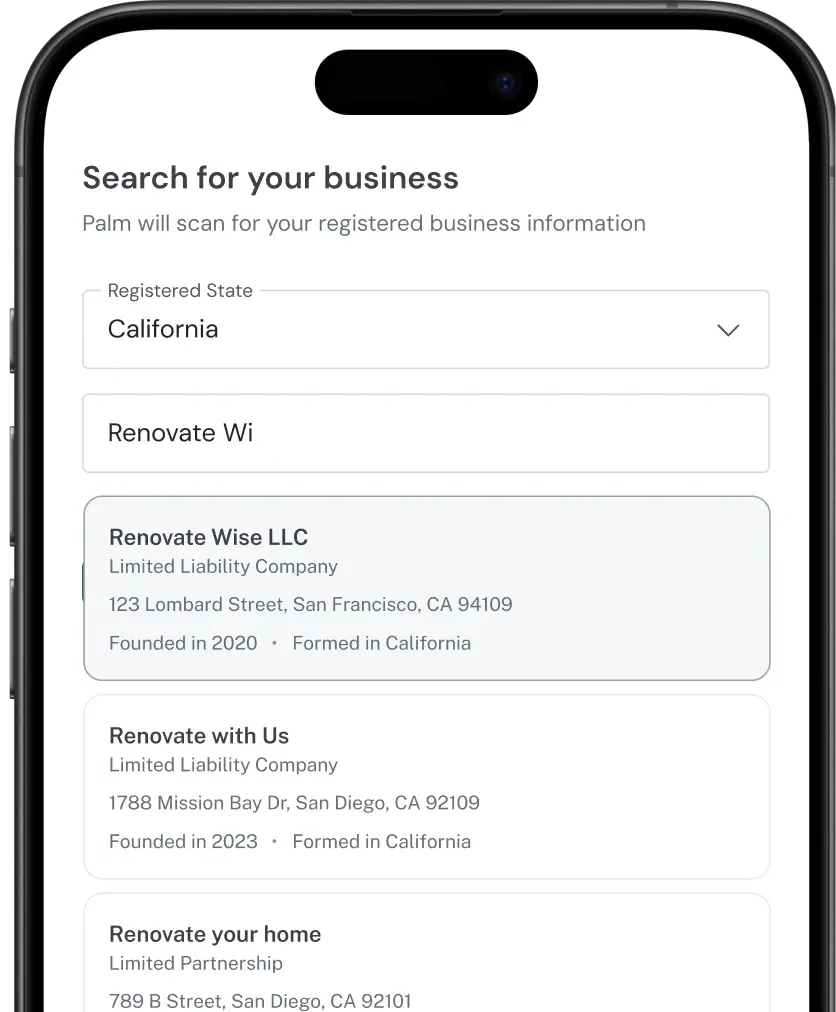
What search is for
Search answers one question: which registered business is this? Use it when you have a partial identity and need the real record behind it.- Application forms. A member picks their entity from results rather than typing a registration number they do not know.
- Type-ahead. Resolve a name to a record while the member is still typing.
- Filling gaps. You have a name but need the registration number, jurisdiction, or formation date.
Search for a business
Bash
Registration and formation jurisdiction are not the same thing. A company can form in one state and register to do business in another. If you are unsure which to filter on,
registration_jurisdiction is usually the one you want, because it is where the business actually operates.Narrowing results
A common name can match a lot of entities. Filters are how you cut a broad result set down to something a member can pick from: jurisdiction first, then entity type or status. You also do not have to re-pull a record you already hold. Most partners cache results on their side with a freshness window that suits the flow, and refresh on their own schedule.Reading a result
Two fields need a closer look. Status. This is the standing of the registration, not whether the company is trading.active means the business has kept up with its required filings and fees and is authorized to operate. A business that has fallen behind may come back suspended or revoked: it still exists, but it is not in good standing, and that is usually worth acting on.
Registration number. The authority the business registered with assigns it. It is unique inside that jurisdiction but not across jurisdictions, so a registration number is only meaningful when paired with the jurisdiction it came from.