

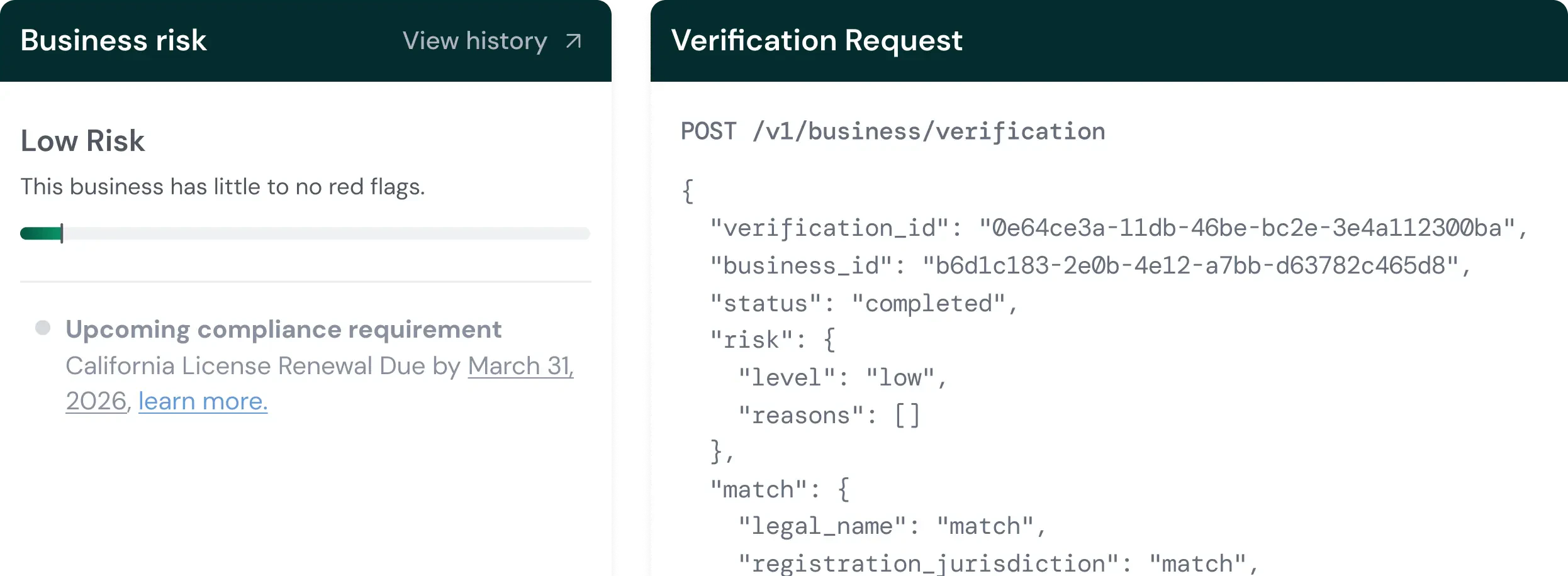
What Verify does
- Verify a Business (KYB): KYB stands for Know Your Business. Palm confirms that a business entity is real, registered, and in good standing by verifying against state registries, the IRS, and licensing agencies. Optionally verify beneficial owners in the same call.
- Verify a Person (KYC): KYC stands for Know Your Customer. Palm confirms that a person is who they claim to be by verifying identity against authoritative sources, detecting synthetic (fabricated) identities, running velocity checks to catch fraud patterns, and screening against sanctions and watchlists.
- Verify a TIN: Validate a TIN (EIN or SSN) and name against IRS records as a standalone check, without running a full business or person verification.
Verification is ongoing
Verification isn’t just an onboarding step. Businesses change — ownership transfers, registrations lapse, compliance state shifts. Verify is designed for recurring use:- At onboarding: Verify a business and its people when they first arrive on your platform.
- On a schedule: Re-verify annually, quarterly, or on whatever cadence your compliance requirements dictate.
- When triggered: Re-verify in response to a change event, such as an officer update or ownership transfer detected through Monitor.
How it connects to Onboard
Onboard is where you find businesses and pull their public record. Verify runs the checks that go beyond the public record - TIN validation, risk assessment, watchlist screening, and identity verification on associated people. A typical flow: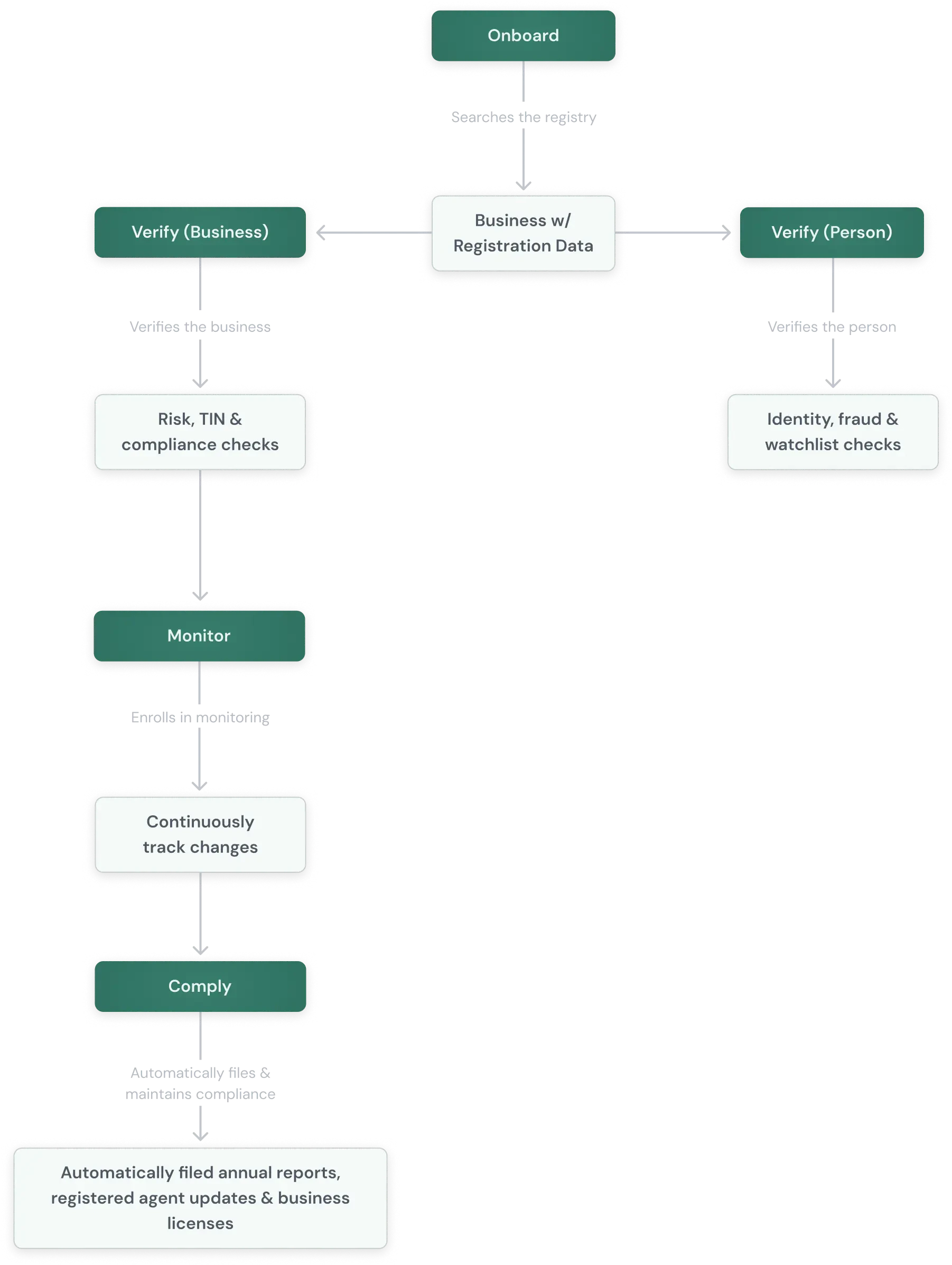
From search to verification
Every verification returns:- Match results: How each submitted field compares against authoritative records (
match,no_match,partial_match, ornot_checked). - Risk assessment: A risk level (
low,medium,high, orcritical) with specific risk signals that explain the assessment. - Verification status:
pending,in_progress,completed, orfailed.