

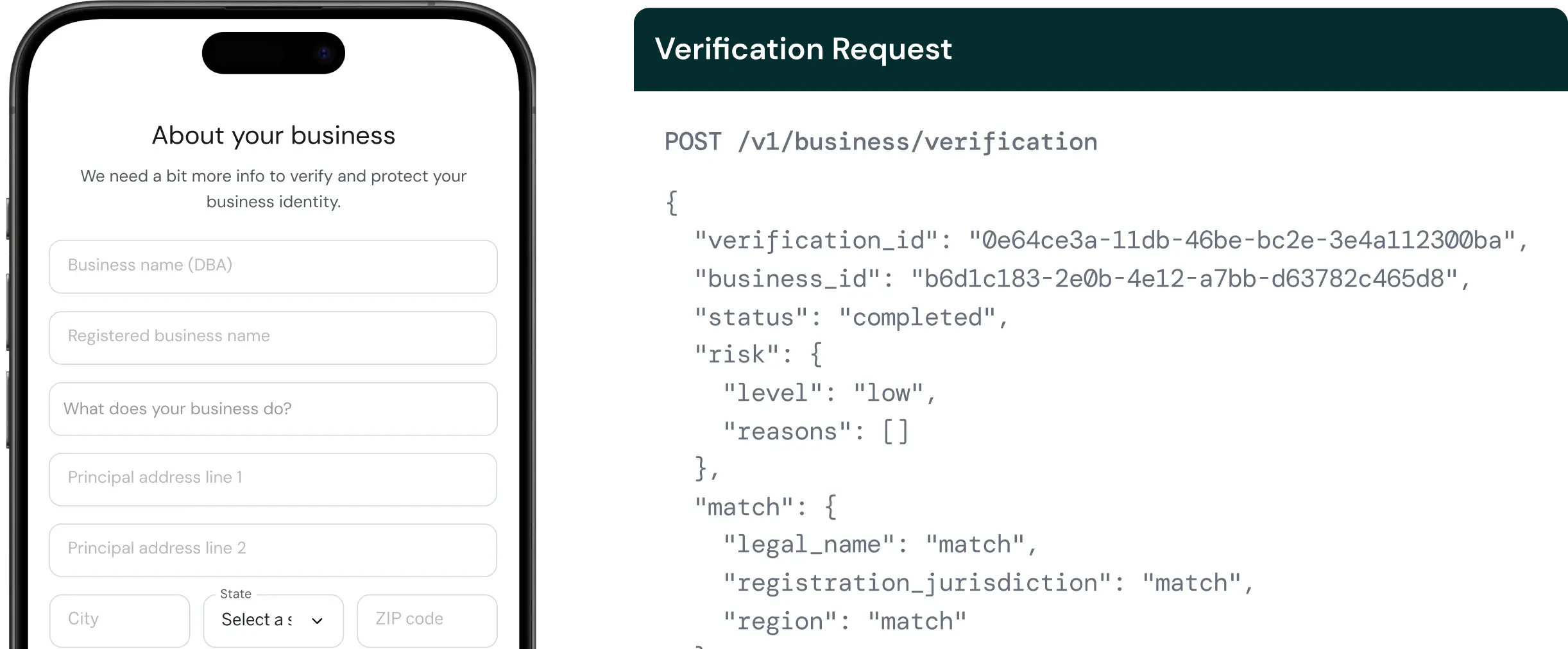
What business verification checks
When you verify a business, Palm runs several checks against authoritative sources:- State Registry verification: Palm queries the Secretary of State (SOS) office where the business is registered. This confirms the business exists, checks that its registration is active (not dissolved, suspended, or revoked), and validates details like the legal name, entity type, and formation date. A business that hasn’t filed its annual report or paid its state fees will show as out of compliance.
- EIN verification: The Employer Identification Number is assigned by the IRS and serves as the business’s tax ID. Palm verifies the EIN against IRS records to confirm the number matches the business name. This catches cases where a business submits someone else’s EIN, uses a recently issued number that hasn’t propagated yet, or provides an EIN that doesn’t correspond to any business on file.
- Associate verification: If you include associates in the request, each one undergoes individual person verification: identity checks, synthetic identity detection, and watchlist screening for every person with significant ownership or control. See Verify a Person for what it covers.
What you get back
When you verify a business, Palm returns:- Match results: How each submitted field compares against authoritative records (
match,no_match,partial_match, ornot_checked). - Risk assessment: A risk level (
low,medium,high, orcritical) with specific risk signals that explain the assessment. - Associates: If beneficial owners are included, each undergoes individual KYC verification.
- Verification status:
pending,in_progress,completed, orfailed.
Understanding the detail response
Match fields
KYB verification can return match results for these fields:Only fields included in the verification request appear in match results. For match result types and risk level details, see Verification Reference.
When to use
Use business verification when a business entity first interacts with your platform: during onboarding, before extending credit, or before binding a policy. Use it again when compliance state changes or on a recurring schedule. If you also need to verify the person behind the business, follow this call with person verification. Or include associates in the request to verify beneficial owners in the same call.Quickstart
Prerequisites- A Palm API key: Get access
- The business’s legal name and state/region
Verify a business
Send aPOST request to /v1/business/verification:
Bash
workflow_key, legal_name, and region. You can improve match accuracy by including additional fields like ein, entity_type, formation_jurisdiction, address, and associates (beneficial owners to verify inline).
For the full parameter reference, see the API Reference.
You can also verify people as part of a business verification by including them as associates. See Verify a Person.
Response
A successful verification returns match results, risk assessment, and, if associates were included, individual KYC results for each owner:JSON
Re-verification
Existing businesses can be re-verified without resubmitting data. Palm retrieves the current data from the vault and runs verification against stored values:Bash
Retrieve a verification
Fetch a completed verification by itsbusiness_id and verification_id, useful for pulling the current status and results without waiting on a webhook, or for re-reading a past run:
Bash
Webhooks
Subscribe tobusiness.verification.completed to receive async notification when a verification finishes. Webhook payloads include the verification ID, risk level, and summary match results.